

Steps to Miles Calculator
The steps to miles calculator estimates distance from a step count and your measured step length. You can also start with a target distance to find the required count, or calibrate step length from a known-distance walk. Choose whether your count represents individual steps or complete two-step strides before entering the length.
- Miles
- —
- Kilometers
- —
- Meters
- —
- Calculated count
- —
- Whole counts to reach target
- —
- Individual steps represented
- —
How the steps to miles calculator finds distance
The steps to miles calculator multiplies your count by the distance covered by each count. It converts the resulting length into meters, kilometers and miles. A count by itself isn’t enough because people and activities can have different step lengths.
Distance = count × length per count
Miles = distance in meters ÷ 1609.344
In this tool, one step means one footfall. The two-step stride option means a full pair of steps, so its length should cover both. If you count 500 complete two-step strides, that represents 1,000 individual steps.
For instance, 1,000 steps at 75 cm per step cover 750 meters, or about 0.466 mile. If you instead have 500 two-step strides at 150 cm each, the distance is identical.
Check what a device or source means by ‘stride length’ before copying its number. The useful question is how much distance that value represents per counted event. Pairing a single-step count with a two-step length doubles the calculated distance, even though each input can look reasonable on its own.
Measure your step or stride length
You can find average step length by covering a known distance, counting every individual step and dividing the distance by that count. For instance, 400 meters divided by 500 steps gives 0.8 meter, or 80 cm per step. Enter those two measurements in the calibration controls and apply the result to the length field, which switches to individual-step mode to keep the count definition consistent. You can then use that measured length with another step count instead of relying on the tool’s prefilled example.

Garmin’s vívofit 4 manual describes using a known distance and a step count to calculate custom step length. That is a device setting, while this standalone tool provides the distance-divided-by-count arithmetic. You can apply the calculated length here without connecting a watch or changing its settings.
You can repeat the measurement and compare the averages. If the counts differ considerably, check the route distance and how you’re counting before relying on a longer projection.
Use a measurement that resembles the activity you’re estimating. A length measured during a walk doesn’t automatically describe a faster run. The calculator doesn’t infer a new length from speed, height or a label such as beginner.
Convert distance back to steps
To work backward from a target distance, you can divide it by the length of each counted step or stride, with both lengths expressed in matching units. At 75 cm per step, one kilometer requires about 1,333.33 steps in the calculation. The tool also rounds up to a whole target count, giving 1,334 steps to reach at least that distance if your average step length stays constant. That whole-count figure is useful for a target, while the decimal result lets you inspect the arithmetic behind it.
For one mile at the same step length, the arithmetic gives about 2,145.79 steps, with a rounded-up target of 2,146. Changing the measured length changes both numbers.
The rounded-up count is an estimate of a target, not a promise that a watch will report that exact count at a measured finish line. Each real step may differ from the average used in the calculation.
If you want the distance converted into another unit without involving steps, the Miles to KM Converter is the direct option.
Worked step-count examples
Ten thousand steps can represent different distances because the length per step changes. The following examples hold the count fixed and vary only the measured average length.
| Length per step | Kilometers | Miles |
|---|---|---|
| 60 cm | 6.0 | 3.728 |
| 70 cm | 7.0 | 4.350 |
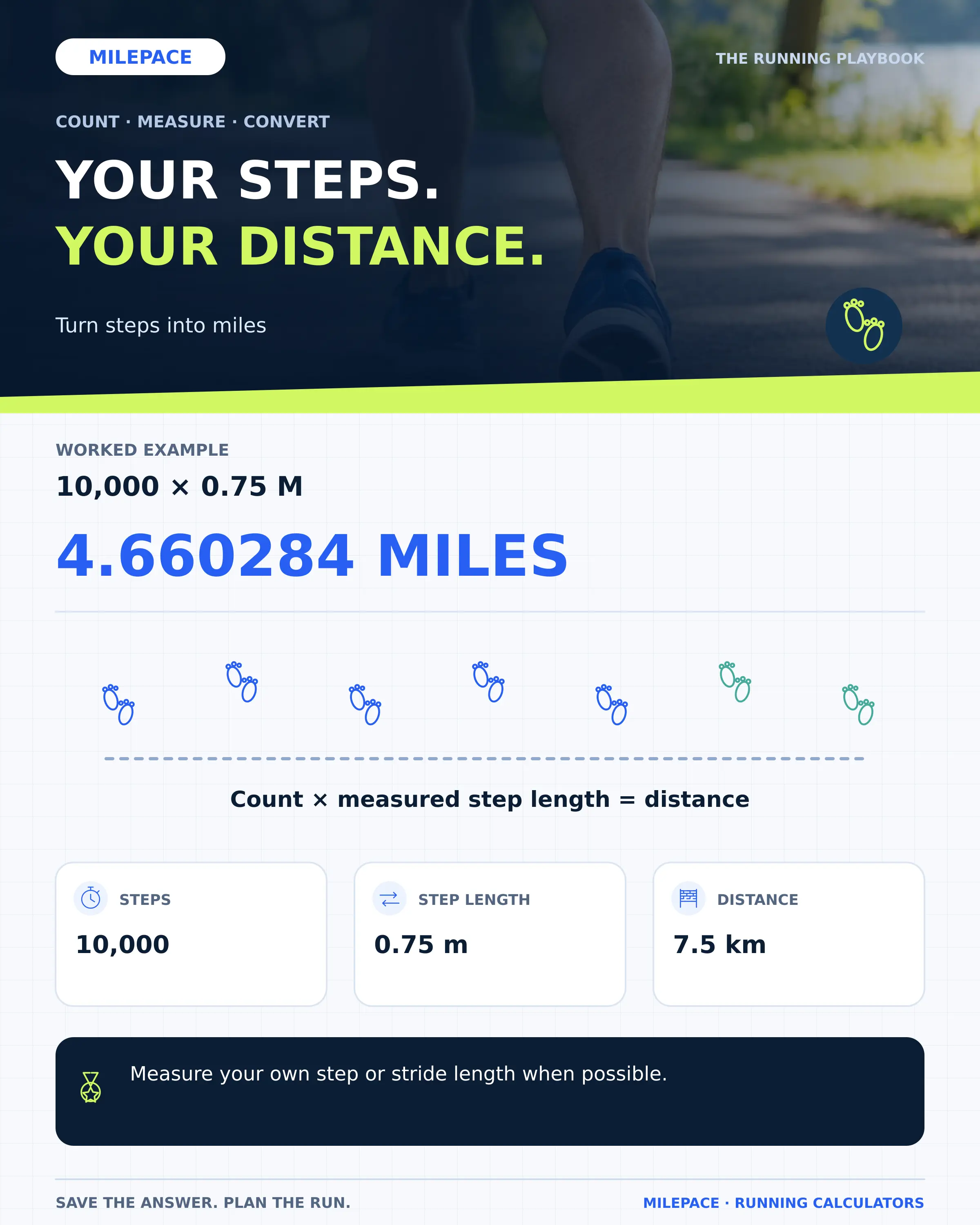
| 75 cm | 7.5 | 4.660 |
| 80 cm | 8.0 | 4.971 |
These lengths are calculation examples, not population averages or recommendations about how you should walk. The prefilled 75 cm value in the tool is also an example until you replace it with your measurement.
At 75 cm, a 2,000-step walk covers 1.5 km, or about 0.932 mile. At 80 cm, the same count covers 1.6 km, or about 0.994 mile. A small difference in length applies to every step, so it becomes more visible across a long count.
You can compare these outputs while keeping the count definition visible. A two-step stride count needs the full two-step length to describe the same movement.
Understand what can change the estimate
Your estimated distance assumes that each counted event covers the average length you’ve entered, so the measurement you choose needs to fit the activity you’re estimating. A short indoor walk, an outdoor walk and a run can involve different average step lengths, making one saved value less useful for another kind of movement. You can keep separate measured values and select the one that best matches the session. The result then remains a transparent count-times-length estimate, with the original measurement available whenever you want to check or replace it.
The count can have its own error too. If a device records extra events or misses steps, multiplying the reported count by a good length still retains that count error. This calculator has no connection to your watch and can’t check its sensors.
It also doesn’t calculate calories, exercise intensity or a health score. For time and pace, use the Mile Pace Calculator after you’ve chosen a distance estimate and recorded the activity duration.
Use the output as a transparent estimate whose assumptions you can change. The measured length is what makes that estimate personal, rather than the step-count number alone.
Frequently Asked Questions
Does ‘pace’ always mean a counted step?
No. In running, pace usually means time per distance. Here you need a count of steps or two-step strides, plus length per count. A minutes-per-mile value belongs in the pace calculator.
Can I enter length in inches?
Yes. Choose inches for the length field. The calculator converts that length internally before finding distance.
Can I use zero steps?
Yes. Zero steps gives zero distance, provided the entered length is valid. The calibration measurement needs a positive distance and a positive whole step count.
Why isn’t there a single steps-per-mile answer?
The number depends on length per counted step. The tool shows the result for your entered measurement rather than assigning everyone the same length.